CRM Requirements
This document defines the Custom CRM system requirements for The Enterprise, based on referential UI prototypes (borrowed industrial concepts) and functional specifications provided January 2026.
Overview
The CRM system will replace the legacy D365 instance to provide a flexible, custom-built solution that supports:
- Complex multi-entity relationships (3 legal entities with shared credit limits)
- Multi-location customer tracking (plants, warehouses, offices)
- Integrated follow-up scheduling with calendar views
- Social media and communication channel management
- Content broadcast tracking and history
- Vendor empanelment workflows
1. Follow-Up Planning & Scheduling
Calendar-Based Visit Planning
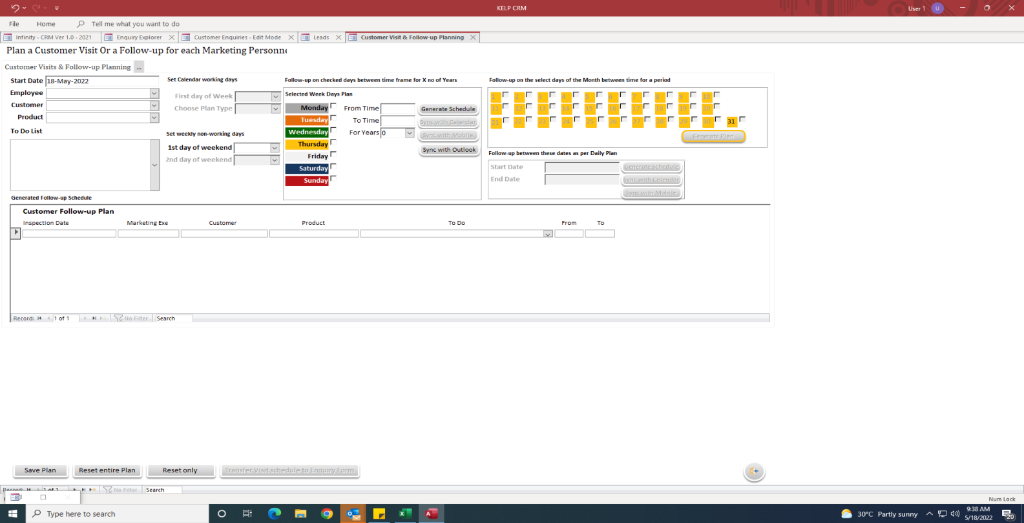
Features:
- Weekly calendar view showing follow-up density by day
- Color-coded day indicators (Monday=Purple, Wednesday=Yellow, Friday=Green, Saturday=Red, Sunday=Blue)
- Date range selection for follow-up planning
- Daily plan generation and scheduling
- Integration with Microsoft Outlook for calendar sync
- Filters: Employee, Customer, Product, To-Do List
Functional Requirements:
- Set weekly non-working days
- Define first day of weekend
- Generate automated schedules based on customer visit frequency
- Export plans to Outlook calendar
- Track follow-up status (planned vs. completed)
2. Company Master Management
2.1 Main Company Information
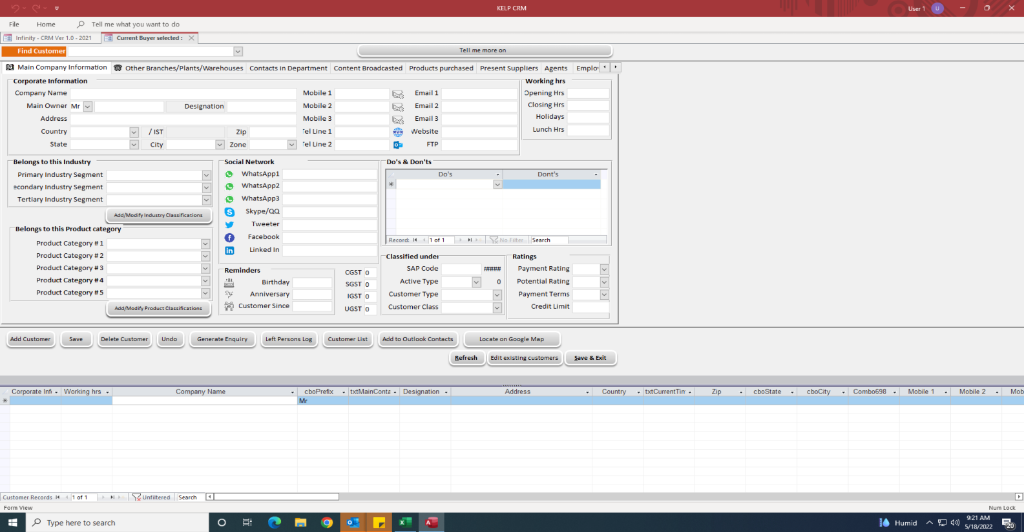
Navigation Structure:
- Tab 1: Main Company Information
- Tab 2: Other Branches/Plants/Warehouses
- Tab 3: Contacts in Department
- Tab 4: Content Broadcasted
- Tab 5: Products Purchased
- Tab 6: Present Suppliers
- Tab 7: Agents
- Tab 8: Employee Handling
Main Information Fields:
Basic Details:
- Company Name (with Main Owner/All dropdown)
- Designation
- Address (Country, State, City, Zip, Zone - cascading dropdowns)
Communication Channels:
- Mobile Numbers (4 fields)
- Email Addresses (3 fields)
- Website URL
- FTP Server Address
Social Media Integration:
- WhatsApp (3 numbers)
- Skype ID
- Telegram
Reminders & Important Dates:
- Birthday
- Anniversary
- Customer Email
Business Classification:
- SAP Code
- Active Type
- Customer Type
- Customer Class
- GSTN/SGST/UGST identifiers
Financial Details:
- Payment Terms
- Potential Rating (dropdown)
- Payment Rating (dropdown)
- Credit Limit
Industry Segmentation:
- Primary Industry Segment (checkbox + dropdown)
- Secondary Industry Segment (checkbox + dropdown)
- Tertiary Industry Segment (checkbox + dropdown)
Product Categories:
- Product Category #1-5 (checkboxes + dropdowns)
- Add/Modify Industry Classification button
- Add/Modify Product Classification button
Action Buttons:
- Add Customer
- Save
- Delete Customer
- Undo
- Generate Enquiry
- Left Persons Log
- Customer List
- Add to Outlook Contacts
- Locate on Google Map
- Refresh
- Edit existing customers
- Save & Exit
2.2 Branch/Warehouse/Plant Management

Purpose: Track multiple physical locations for each customer company.
Location Details:
- Location Type (dropdown)
- Location Name
- Contact Person Name
- Department
- Address
- Geographic Location (map integration)
Communication Details:
- Country (dropdown)
- State (dropdown)
- City (dropdown)
- Multiple Mobile numbers
- Multiple Email addresses
- Office Telephone
- Fax Number
- Home Phone Numbers
Vendor Empanelment Status:
- FEP Status (Factory Empanelment Process)
- Attestation Status
- Drug License Number
- Grades
- Monthly Consumption
- GST Number
- PAN Number
2.3 Department-Wise Contact Management
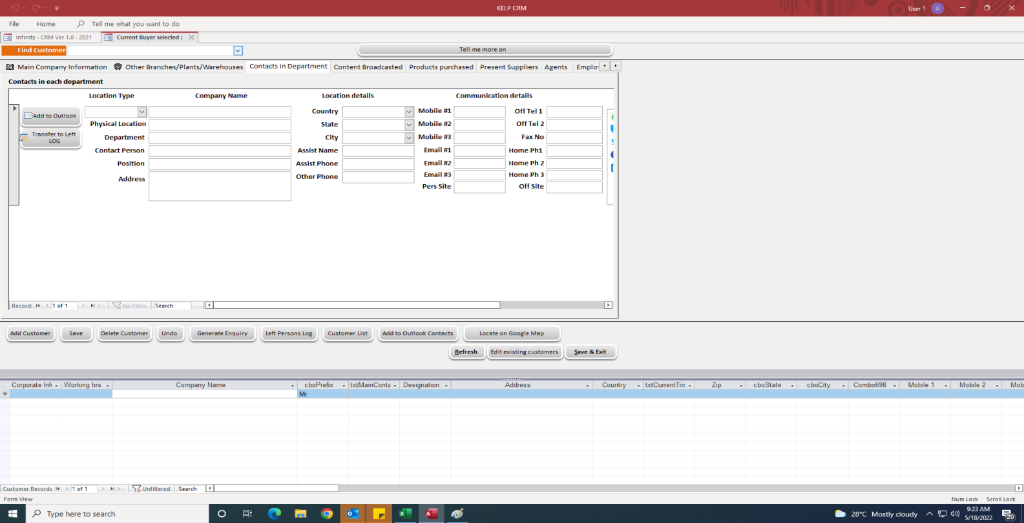
Features:
- Left panel: Department list with "Add to Outlook" and "Download to ODL" buttons
- Contact hierarchy: Location → Department → Person → Role
Contact Table Columns:
- Location Type
- Company Name
- Location Details (Physical location, Department)
- Contact Person (Name, Position, Address)
- Communication Details (Mobile, Email, Phone, Home)
Actions:
- Add to Outlook
- Download to ODL (Outlook Distribution List)
- Export contact list
2.4 Content Broadcast Tracking
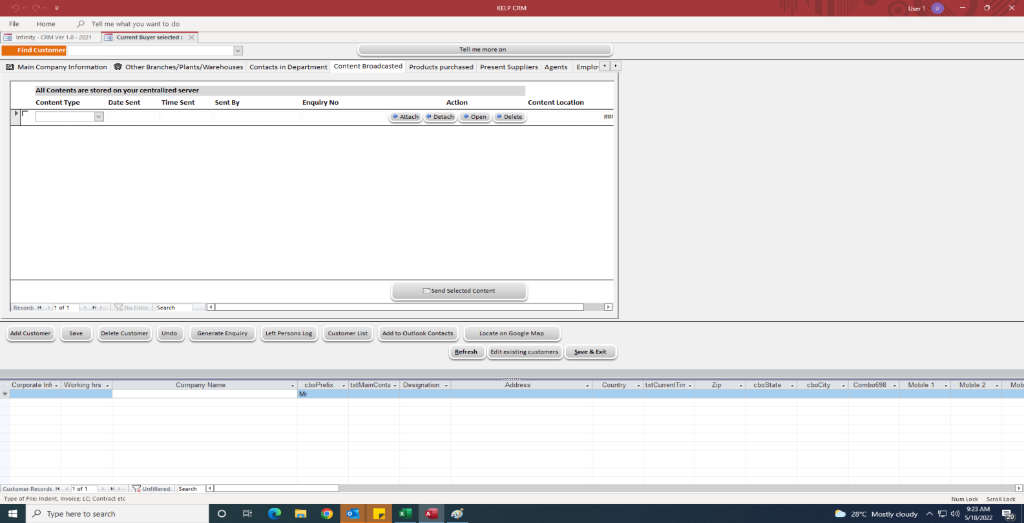
Purpose: Track all marketing materials, quotes, and communications sent to customers.
Table Columns:
- Content Type
- Date Sent
- Time Sent
- Sent By (employee name)
- Enquire No (link to sales pipeline)
- Action (dropdown: Attach/Details/Open/Delete)
- Content Location (file path)
Actions:
- Attach (📎): Attach content to record
- Details (ℹ️): View content details
- Open (📁): Open content file
- Delete (❌): Remove content record
- Send Selected Content: Resend historical content
Search/Filter:
- Search by Enquire No
- Filter by date range
- Filter by sent by employee
2.5 Products Purchased
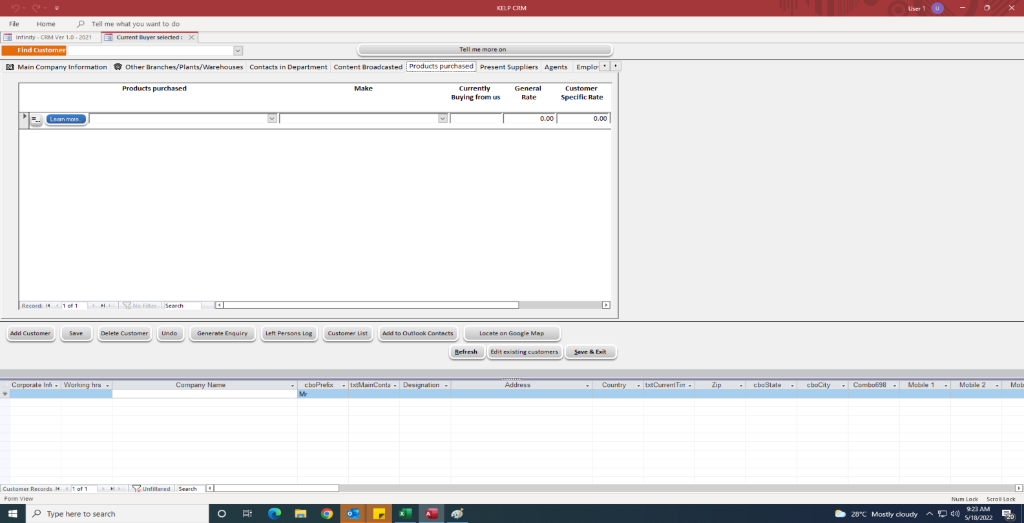
Purpose: Track historical purchases by customer.
Table Columns:
- Products purchased (dropdown with autocomplete)
- Maker (manufacturer/supplier)
- Currently Buying from us (Yes/No)
- General Rate (market price)
- Customer Specific Rate (negotiated price)
Features:
- Searchable product dropdown
- Price comparison (general vs. customer-specific)
- Track active vs. inactive purchases
2.6 Present Suppliers
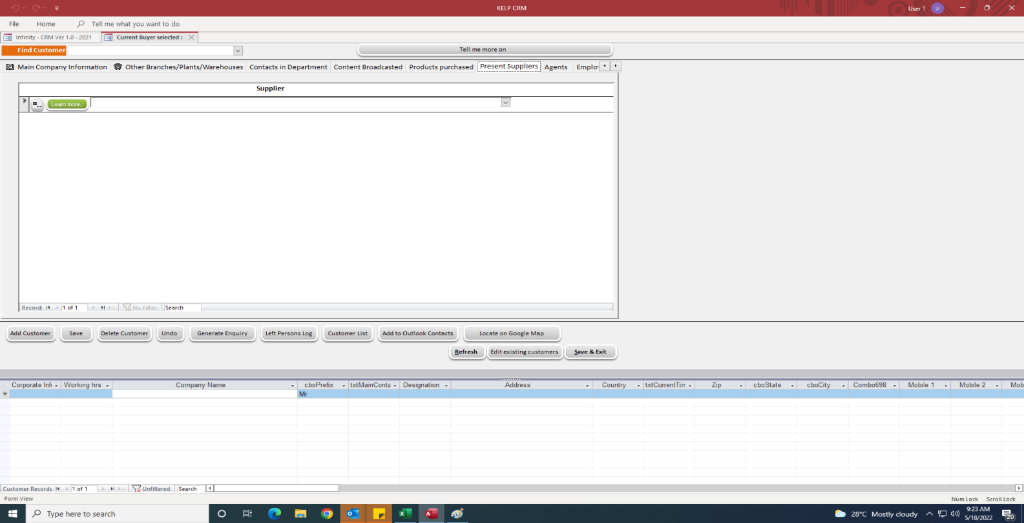
Purpose: Track which suppliers the customer currently buys from (competitive intelligence).
Table Columns:
- Supplier (dropdown with autocomplete)
Use Case:
- Identify replacement opportunities
- Understand customer's existing supply chain
- Target competitive displacement strategies
2.7 Agents
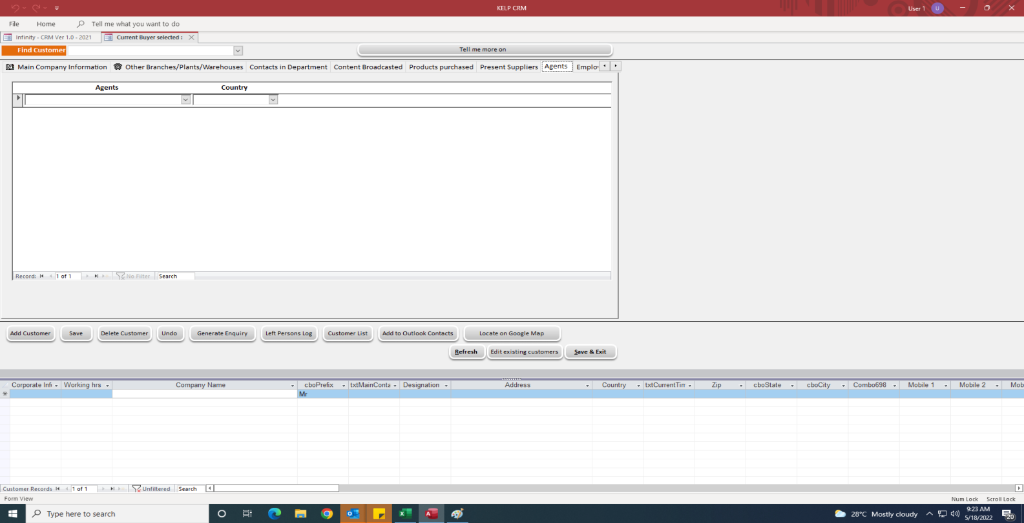
Purpose: Track third-party agents/brokers associated with the customer.
Table Columns:
- Agents (name)
- Country (dropdown)
Use Case:
- Commission tracking
- Agent performance analysis
- Regional coverage mapping
2.8 Employee Handling
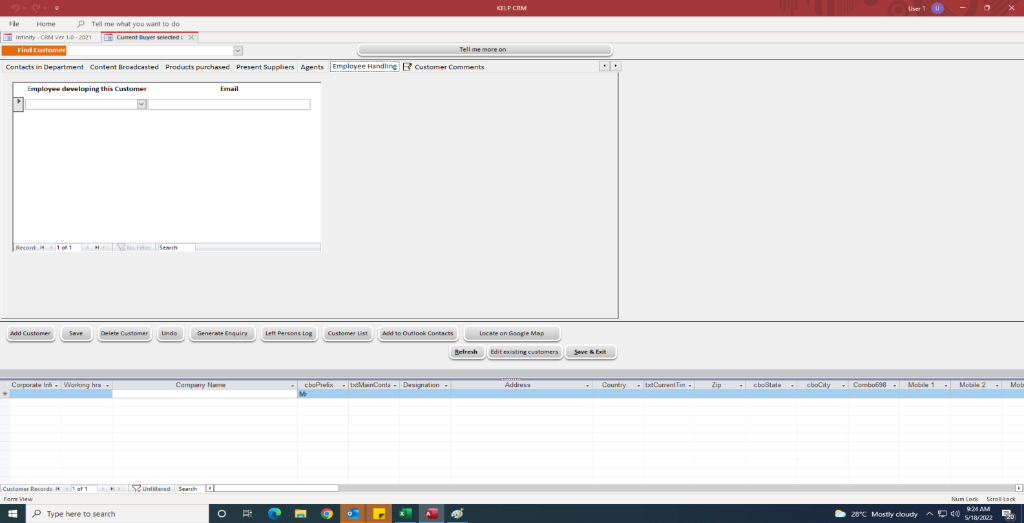
Purpose: Track which internal employees are developing/managing this customer.
Table Columns:
- Employee developing this Customer (name)
Features:
- Multi-employee assignment
- Accountability tracking
- Handover management
2.9 Customer Comments
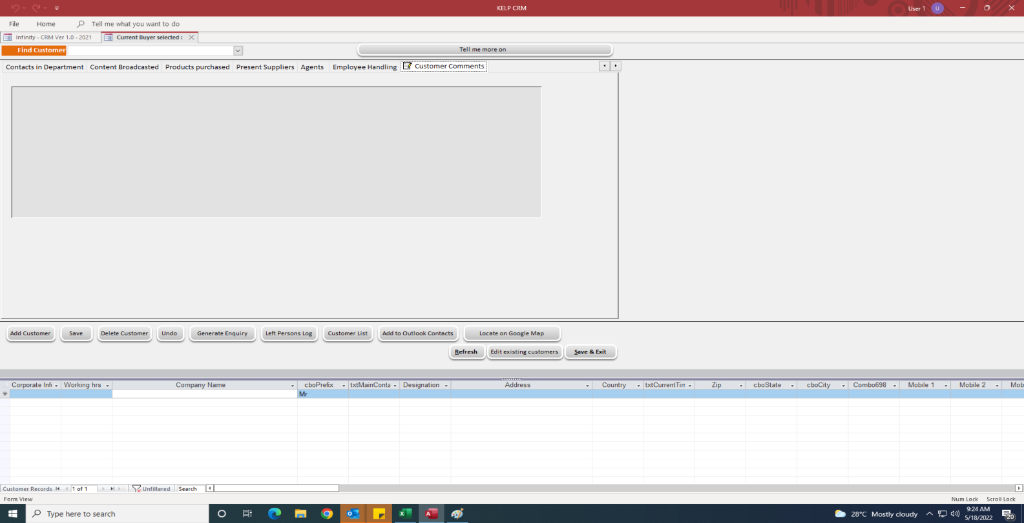
Purpose: Free-form notes and historical context about the customer.
Features:
- Large text area for unstructured notes
- Audit trail (who wrote what, when)
- Searchable comments
3. Data Model Requirements
Core Entities
Company:
- Basic info (name, SAP code, customer class)
- Multi-value fields (4 mobiles, 3 emails)
- Social media identifiers (WhatsApp, Skype, LinkedIn, Facebook, Telegram)
- Financial data (credit limit, ratings, payment terms)
- Industry/product classifications
Location (Many-to-One with Company):
- Location type (Office/Plant/Warehouse)
- Geographic details
- FEP status
- Compliance fields (Drug License, GST, PAN)
- Monthly consumption tracking
Contact (Many-to-One with Location):
- Person name, position, department
- Communication channels (mobile, email, phone)
- Hierarchy: Company → Location → Department → Contact
Content Broadcast (Many-to-One with Company):
- Content metadata (type, date, sender)
- File storage location
- Link to enquiry/sales pipeline
Follow-up Plan:
- Employee assignment
- Customer linkage
- Product (optional)
- Scheduled date
- To-do list/notes
Product Purchase History (Many-to-Many: Company ↔ Product):
- Current supplier status
- General rate vs. customer-specific rate
Agent (Many-to-Many: Company ↔ Agent):
- Agent details
- Country/region
4. Integration Points
Microsoft Outlook
- Calendar sync for follow-up plans
- Contact export/import
- Meeting scheduling
Google Maps
- Geographic location lookup
- Route planning for field visits
File Storage
- Content attachments (quotes, brochures, MSDS, COA)
- Document versioning
ERP System
- SAP Code synchronization
- Order history import
- Pricing sync (General Rate vs. Customer Specific Rate)
5. User Experience Requirements
Navigation Patterns
- Tabbed Interface: All company details organized into 8 tabs
- Cascading Dropdowns: Country → State → City auto-population
- Data Grids: Bottom section of each tab shows related records in tabular format
- Action Buttons: Consistently positioned (bottom-left) for Add/Save/Delete/Export
UI Components
- Calendar widget with color-coded day indicators
- Searchable dropdowns with autocomplete
- Multi-value input fields (repeating mobile/email)
- File upload/attachment manager
- Rich text area for comments
Color Scheme
- Header: Dark red (#8B0000)
- Primary buttons: Gray (#808080)
- Calendar colors: Day-specific (Mon=Purple, Wed=Yellow, Fri=Green, Sat=Red, Sun=Blue)
6. Reporting & Analytics Requirements
Follow-Up Analytics
- Follow-up completion rate by employee
- Visit frequency by customer
- Product-specific visit tracking
Sales Intelligence
- Products purchased analysis
- Competitor supplier tracking
- Agent performance metrics
Communication Audit
- Content broadcast history
- Customer engagement metrics
- Response rate tracking
7. Security & Access Control
Role-Based Permissions
- Sales Rep: View assigned customers, schedule follow-ups
- Sales Manager: View all customers, assign territories, edit rates
- Admin: Full access, system configuration
7.2 Approval Control (Diff-Only)
Requirement: The system must enforce a "Change-Only" approval workflow for Master Data and Commercial records.
- Diff View: Approvers should not see the entire record; only fields that have been modified or newly added must be highlighted for review.
- Verification: Changes are not committed to the "Golden Record" until the specific diff has been electronically signed by the authorized Manager.
- Permissions: Hide "Open Master" links for users without designated Read/Write permissions for the Master Data module.
Audit Trail
- Track all changes to customer records
- Log content broadcasts
- Record follow-up plan modifications
8. Technical Constraints
Performance
- Must handle 10,000+ customer records
- Sub-second response time for search/filter operations
- Support 50+ concurrent users
Scalability
- Multi-location architecture (3 legal entities)
- Shared credit limit calculations across entities
- Consolidated reporting
Compliance
- GST/PAN validation
- Drug License tracking (pharmaceutical compliance)
- FEP (Factory Empanelment) workflow
8.4 Enterprise-Specific Guardrails
Based on the MVP pivot (Jan 2026), the following specific rules are enforced:
8.4.1 Email Intent & Filtering
- Noise Control: Automatically filter out meeting invites, greetings, newsletters, and OTPs.
- Privacy: Differentiate between work and personal emails using sender domain analysis; personal emails must never create Kanban cards.
- Internal Chat: Detect email used as "Internal Chat" (e.g., short status updates) and append to timeline rather than creating new tasks.
- Thread Participants: Handle "CC Multipliers" by appending to existing cards even if new recipients are added to the chain.
8.4.2 Lead & Activity Triage
- Classification: Leads must be tagged as Hot, Warm, or Cold.
- Activity Tags: Manual updates for interactions must use standard tags: Called, Dropped, Responded, Invalid Phone/Email.
- Auto-Extinguish: If an email intent is "Not Interested", the system must automatically close the Kanban card and update the CRM record.
8.4.3 Executive Visibility
- A dedicated dashboard for senior management surfacing:
- Monthly Enquiry counts (New)
- Quote Volume (Sent)
- Tender Pipeline WIP
- New Customer Gains (Conversion rate)
9. Future Roadmap & "Nice to Have" Ideas
Based on referential industrial benchmarks, the following features are identified as high-value extensions for the Pebble IQ ecosystem:
9.1 Activity Post-Mortem & Next-Step Planning
- Source: Industrial Workflow Concept
- Logic: Every "Activity Log" entry must capture an Outcome and a mandatory Next Action Plan (Action Type + Date). This prevents lead stagnation.
9.2 End-Client Transparency (B2B2C Mapping)
- Source: Industrial Enquiry Concept
- Logic: Support an optional "End Client Name" field for enquiries. In distribution, knowing who the dealer's customer is provides strategic leverage and better pricing protection.
9.3 Progressive Engagement Tracker
- Source: Industrial Stage Logic
- Logic: Implement a horizontal visual indicator showing the lead's progress through Awareness → Demo → Proposal → PO Received.
9.4 Unified Transactional Visibility
- Source: Industrial Ledger Workflow
- Logic: While Pebble is a "sidecar", providing a read-only view of Vendor Advances and Recurring Bills (from Tally) into the CRM profile helps sales reps understand the full financial health of the account.
[!NOTE] 4 more reference images are pending from the user and will be incorporated into this roadmap upon receipt.